
Marina management software
Run your whole marina from your pocket.
Every slip, boat, member, task and invoice in one app, on any device: the office computer, a tablet on the dock, or the phone in your pocket.
We set your marina up with you.
Today
Running a marina means a pile of tools.
A spreadsheet for the slips. A whiteboard for the moves. Accounting software for the invoices, a booking site for transients, text messages for the crew, paper contracts in a drawer and sticky notes for everything else. None of them know about each other, so you carry it all in your head.
Seven tools. A stack of logins and renewals. And none of them talk to each other.
Spaces
Every slip, rack and mooring on one live map.
Wet slips, dry storage, moorings, the transient dock, the wash racks, service and the lift, on one map that shows who is where right now. Open a zone to drill in. It is the same map on the office wall, on the dock and in your hand.
Spaces
Every slip, rack and mooring on one live map.
Wet slips, dry storage, moorings, the transient dock, the wash racks, service and the lift, on one map that shows who is where right now. Open a zone to drill in. It is the same map on the office wall, on the dock and in your hand.
Spaces
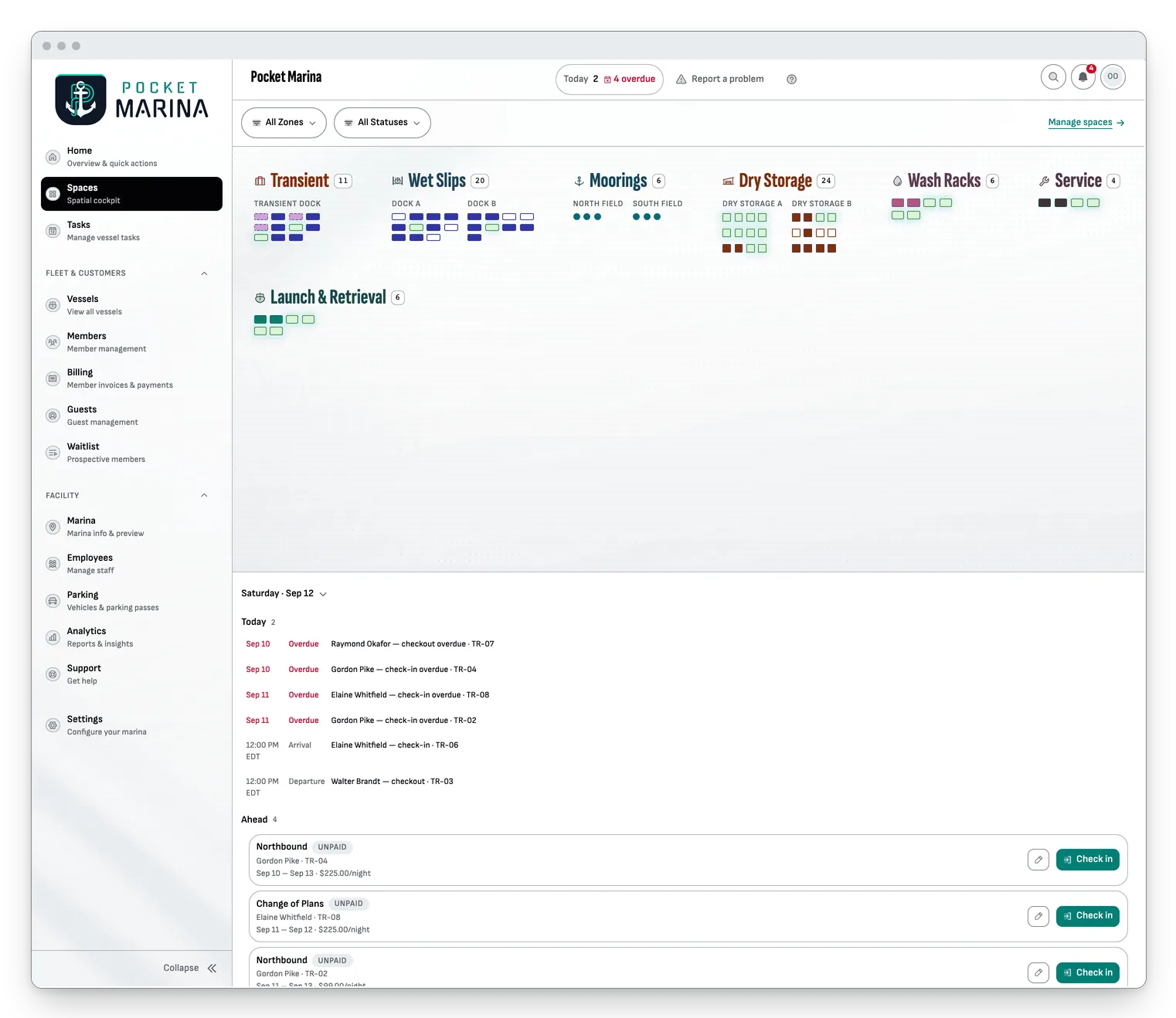
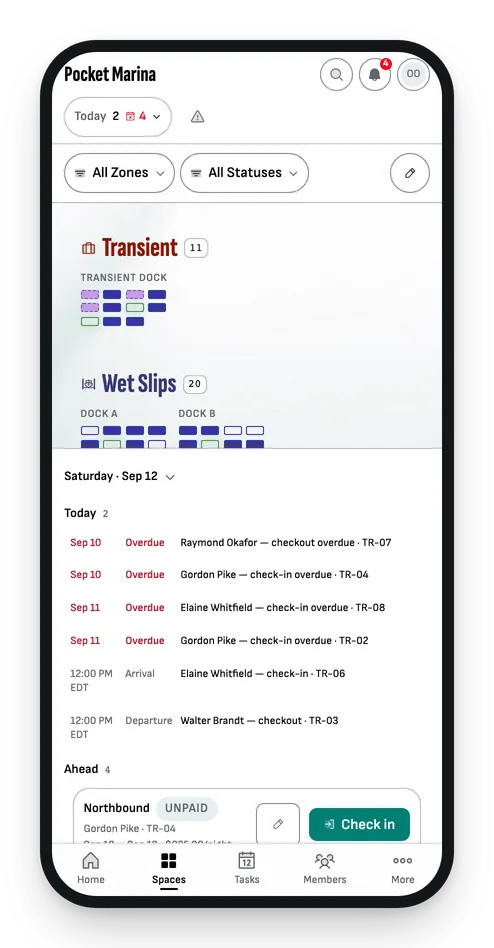
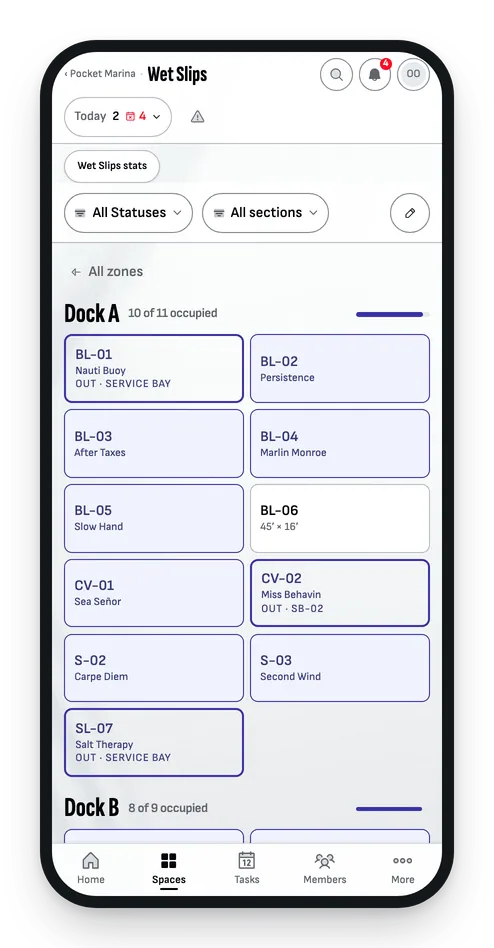
Every slip, rack and mooring on one live map.
Wet slips, dry storage, moorings, the transient dock, the wash racks, service and the lift, on one map that shows who is where right now. Open a zone to drill in. It is the same map on the office wall, on the dock and in your hand.
Home
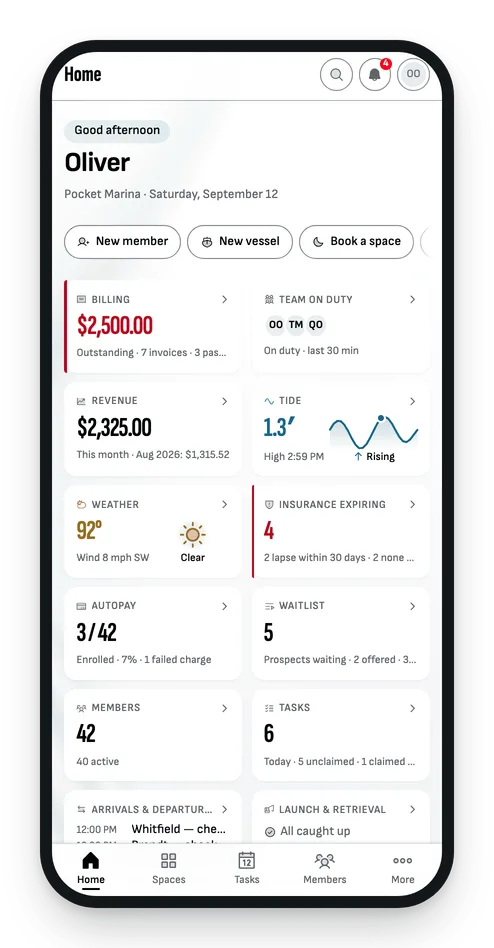
Your morning, on one screen.
Money owed, boats due in and out, who is on duty, insurance about to lapse, the weather and the tide. One look before the coffee is poured, and the same screen on your phone.
Home
Your morning, on one screen.
Money owed, boats due in and out, who is on duty, insurance about to lapse, the weather and the tide. One look before the coffee is poured, and the same screen on your phone.
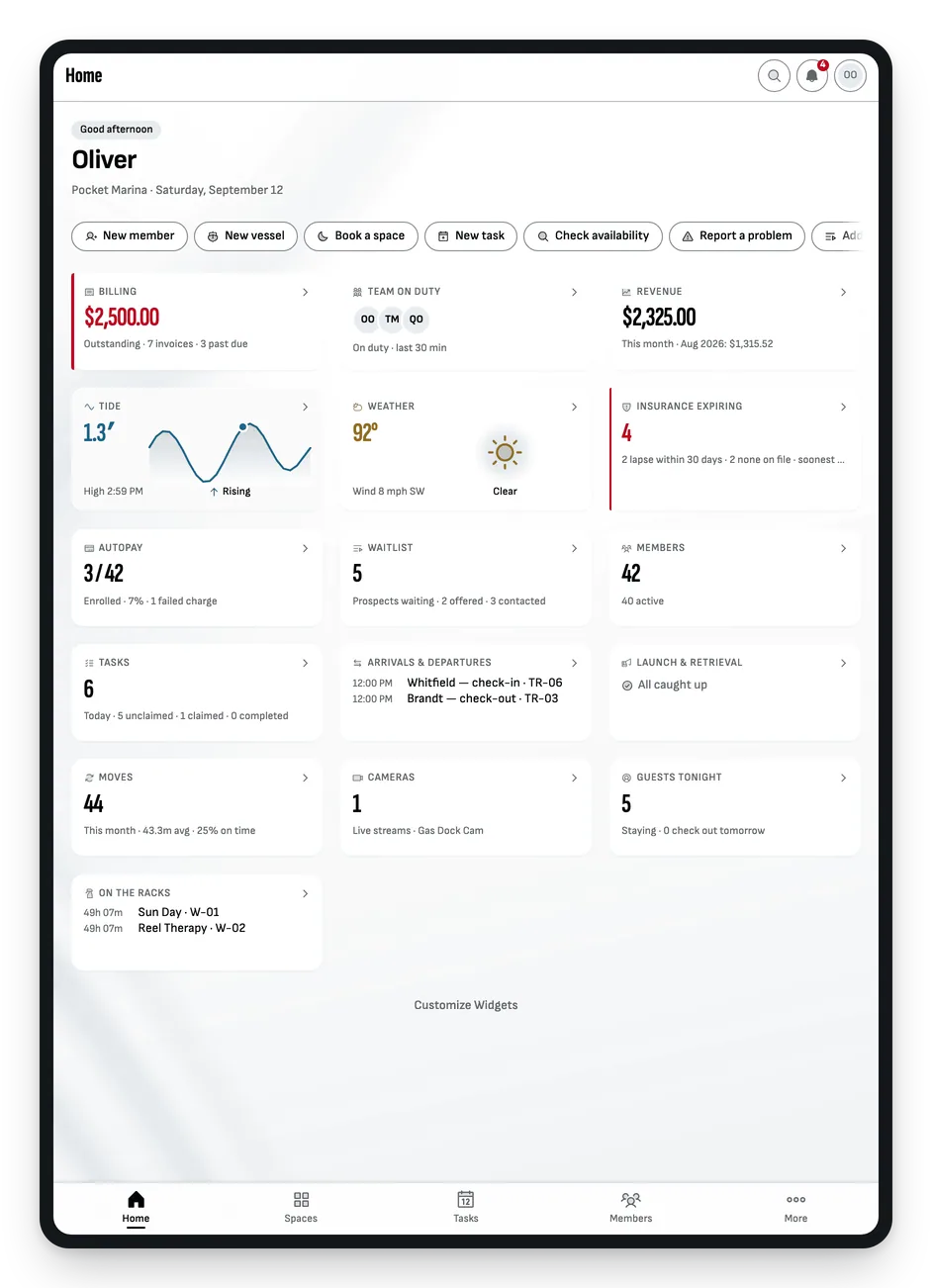
Home
Your morning, on one screen.
Money owed, boats due in and out, who is on duty, insurance about to lapse, the weather and the tide. One look before the coffee is poured, and the same screen on your phone.
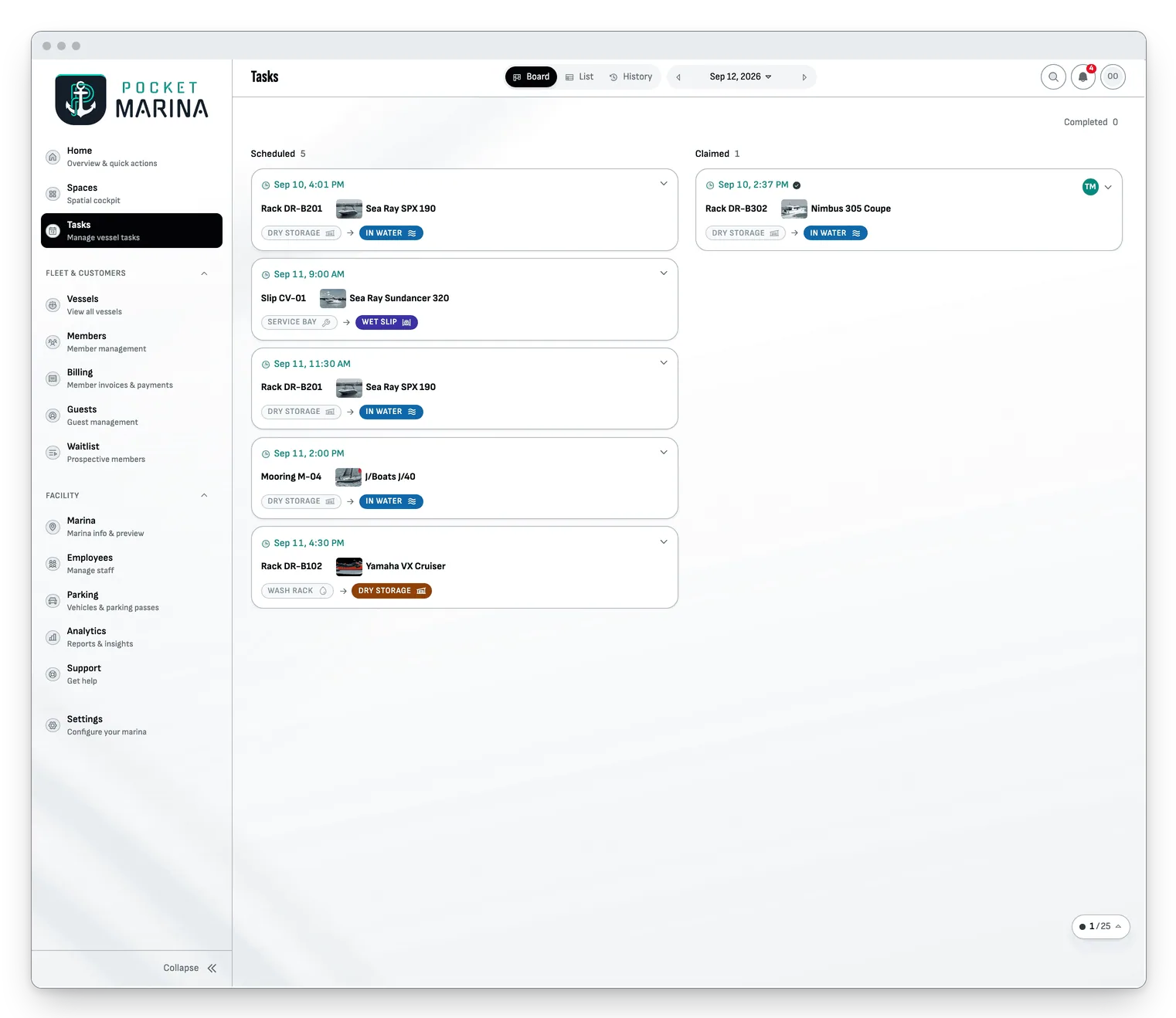
Tasks
Requested from a phone. Claimed on the dock.
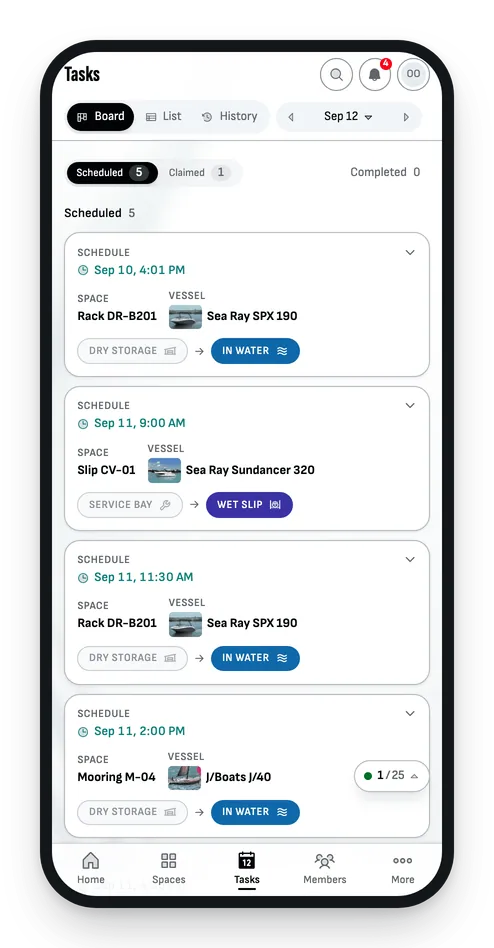
A member asks for a launch from their phone. Your crew sees it on the board, claims it and marks it done. Nothing on the radio, nothing on a clipboard, nothing forgotten.
Tasks
Requested from a phone. Claimed on the dock.
A member asks for a launch from their phone. Your crew sees it on the board, claims it and marks it done. Nothing on the radio, nothing on a clipboard, nothing forgotten.
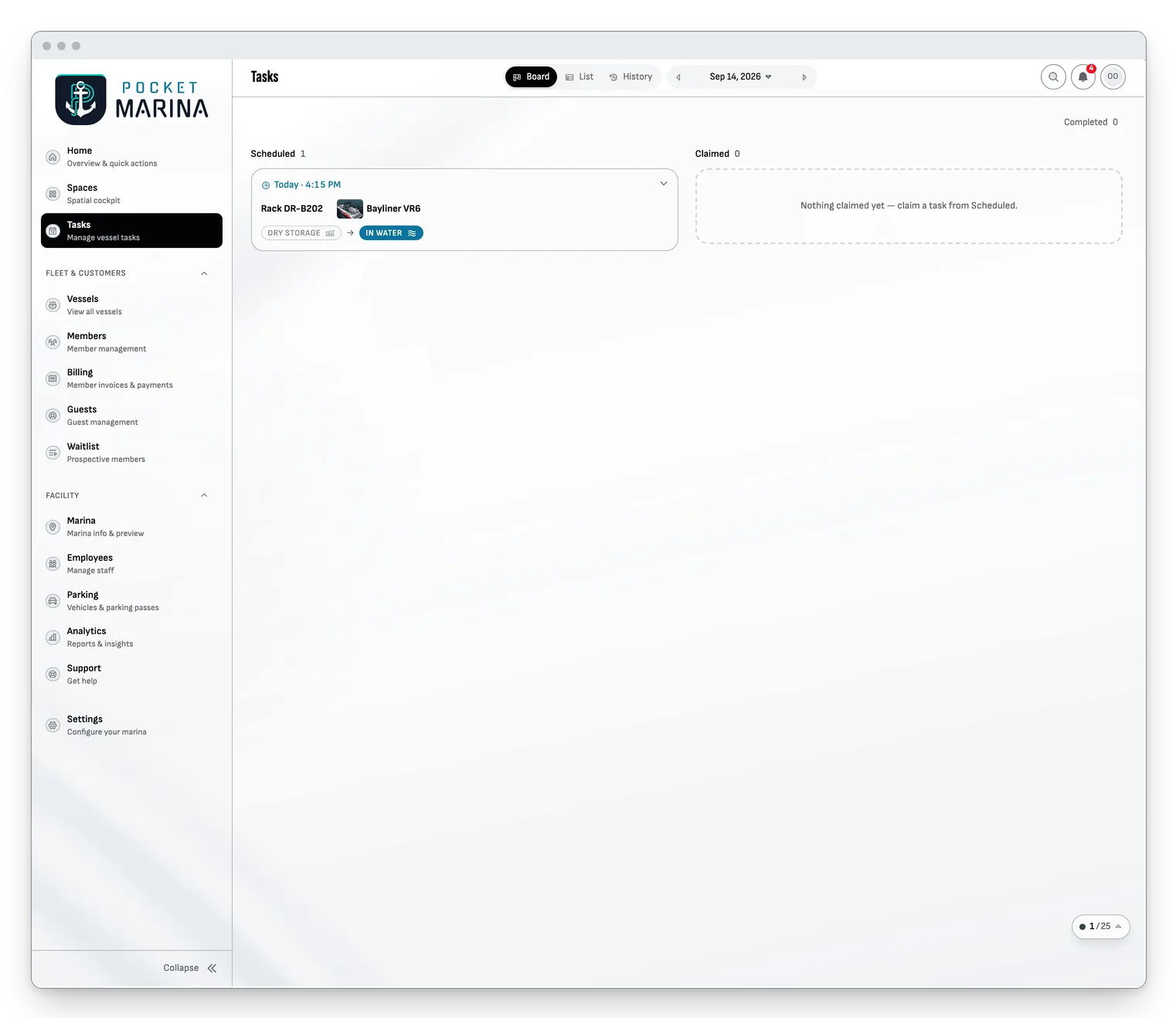
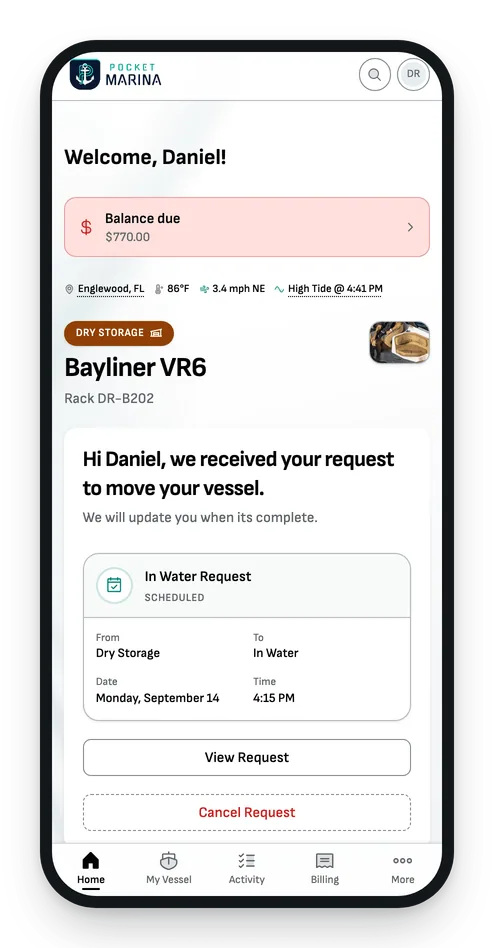
Tasks
Requested from a phone. Claimed on the dock.
A member asks for a launch from their phone. Your crew sees it on the board, claims it and marks it done. Nothing on the radio, nothing on a clipboard, nothing forgotten.
Vessels · Members · Waitlist
One record for every boat and every owner.
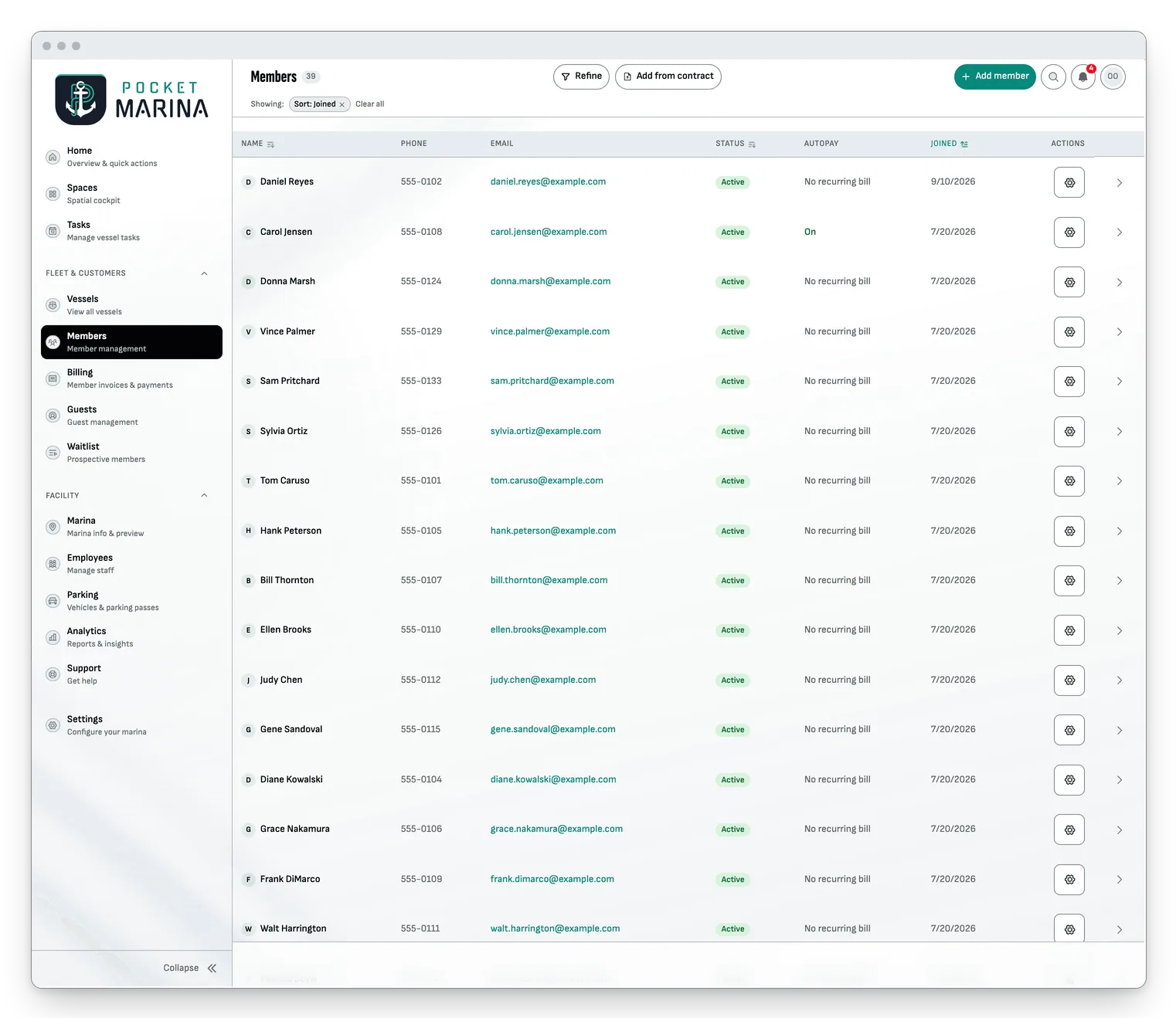
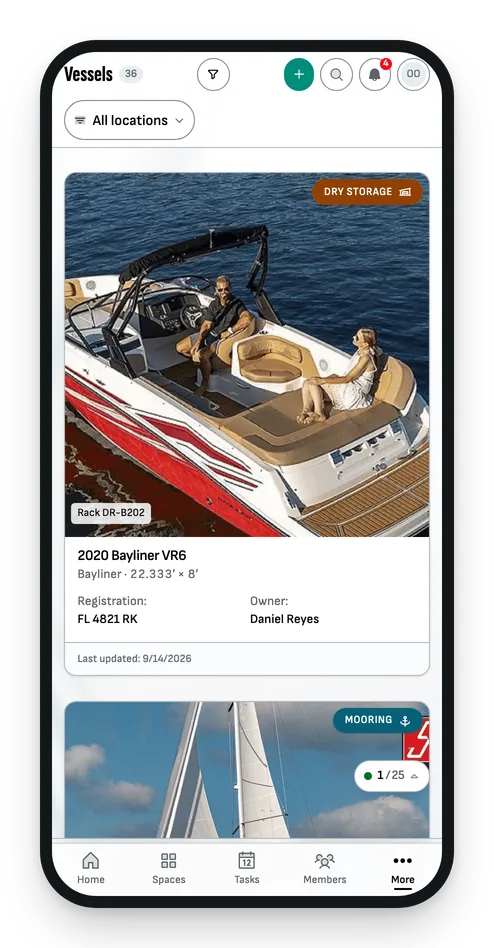
Photos, dimensions, registration, insurance dates and history on the boat. Contact details, billing, vessels and contracts on the member. A waitlist for the people who want a space. Any of it is a few keystrokes away.
Vessels · Members · Waitlist
One record for every boat and every owner.
Photos, dimensions, registration, insurance dates and history on the boat. Contact details, billing, vessels and contracts on the member. A waitlist for the people who want a space. Any of it is a few keystrokes away.
Vessels · Members · Waitlist
One record for every boat and every owner.
Photos, dimensions, registration, insurance dates and history on the boat. Contact details, billing, vessels and contracts on the member. A waitlist for the people who want a space. Any of it is a few keystrokes away.
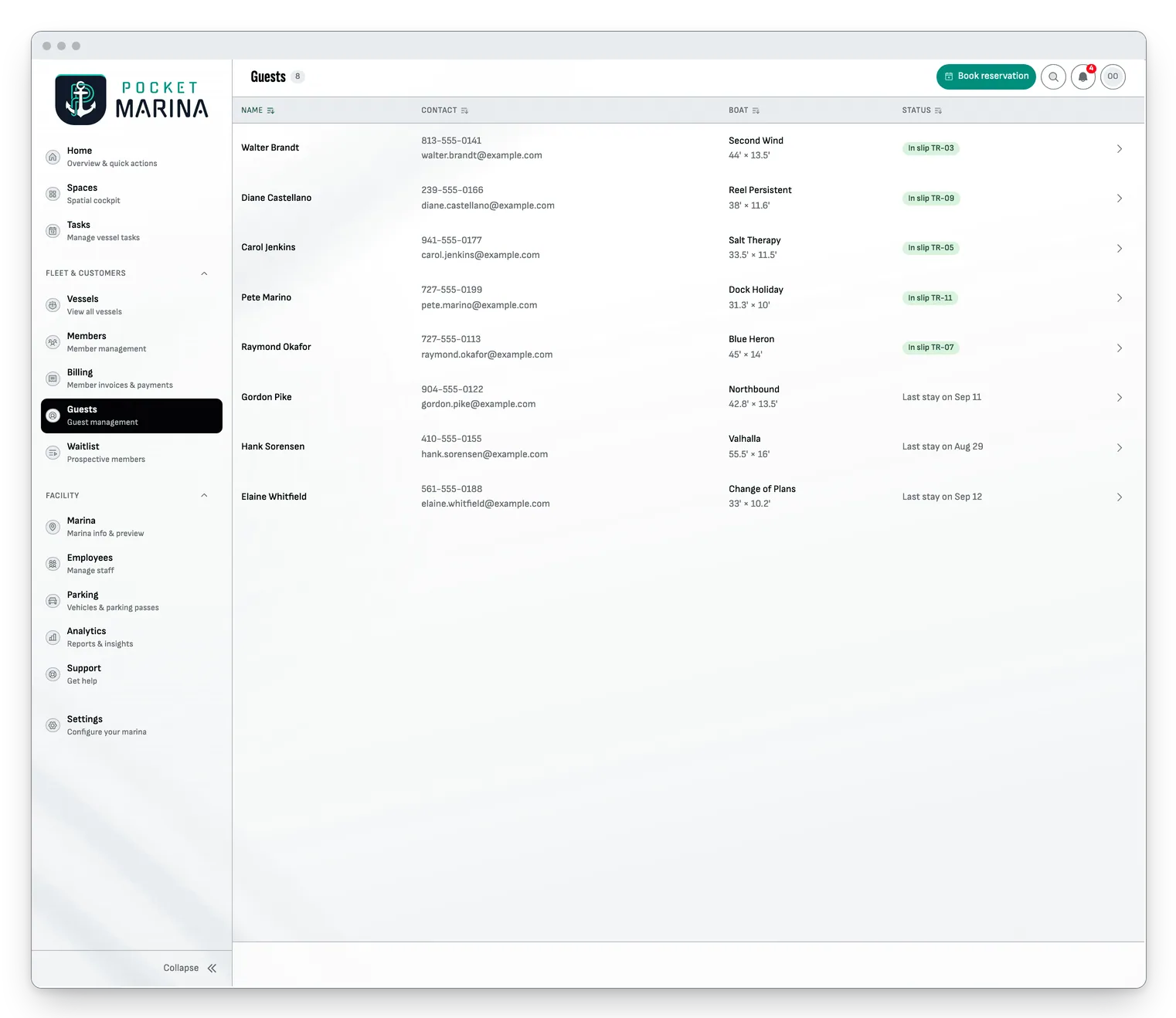
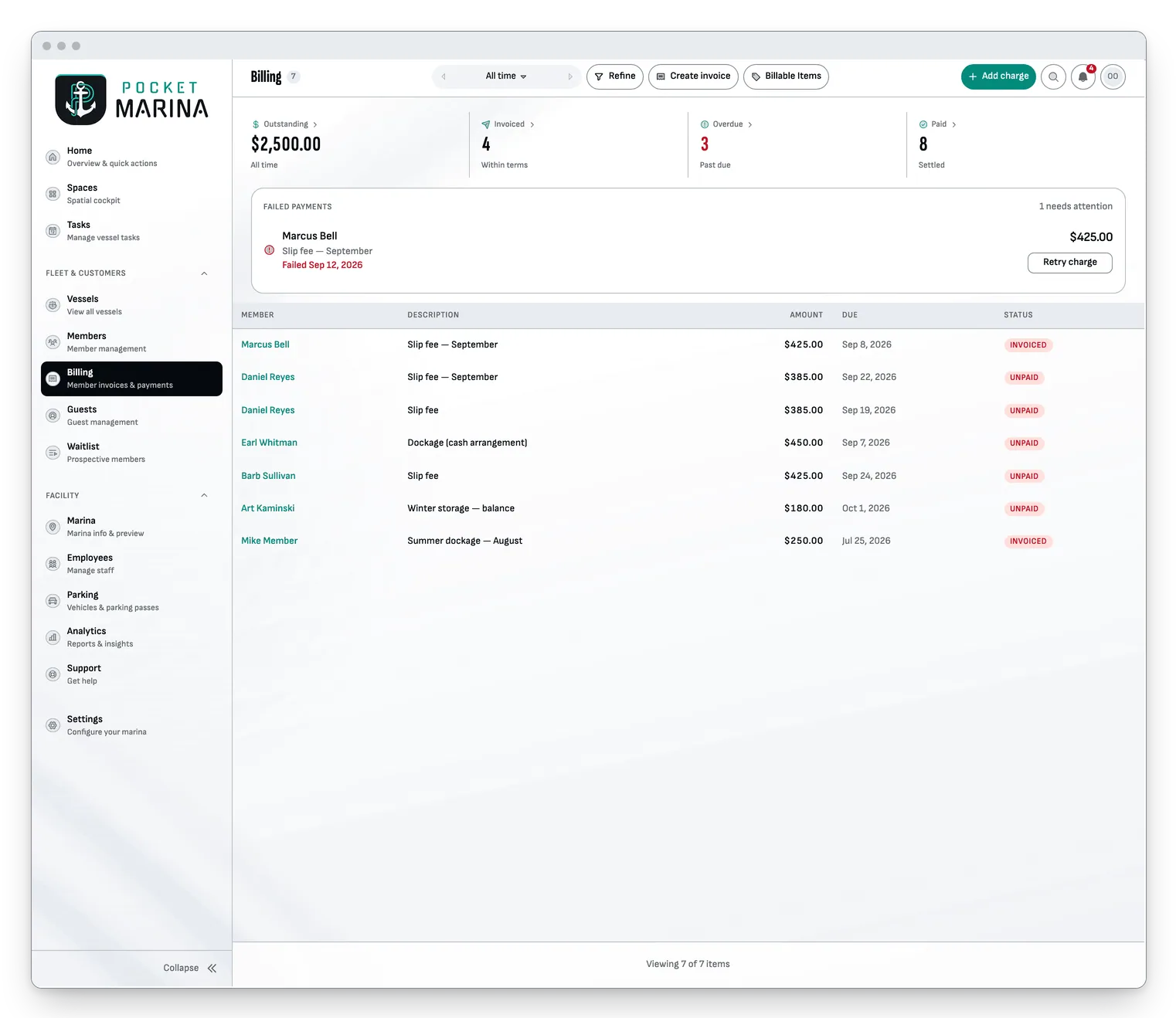
Billing · Guests
Bill it once. Collect it every month.
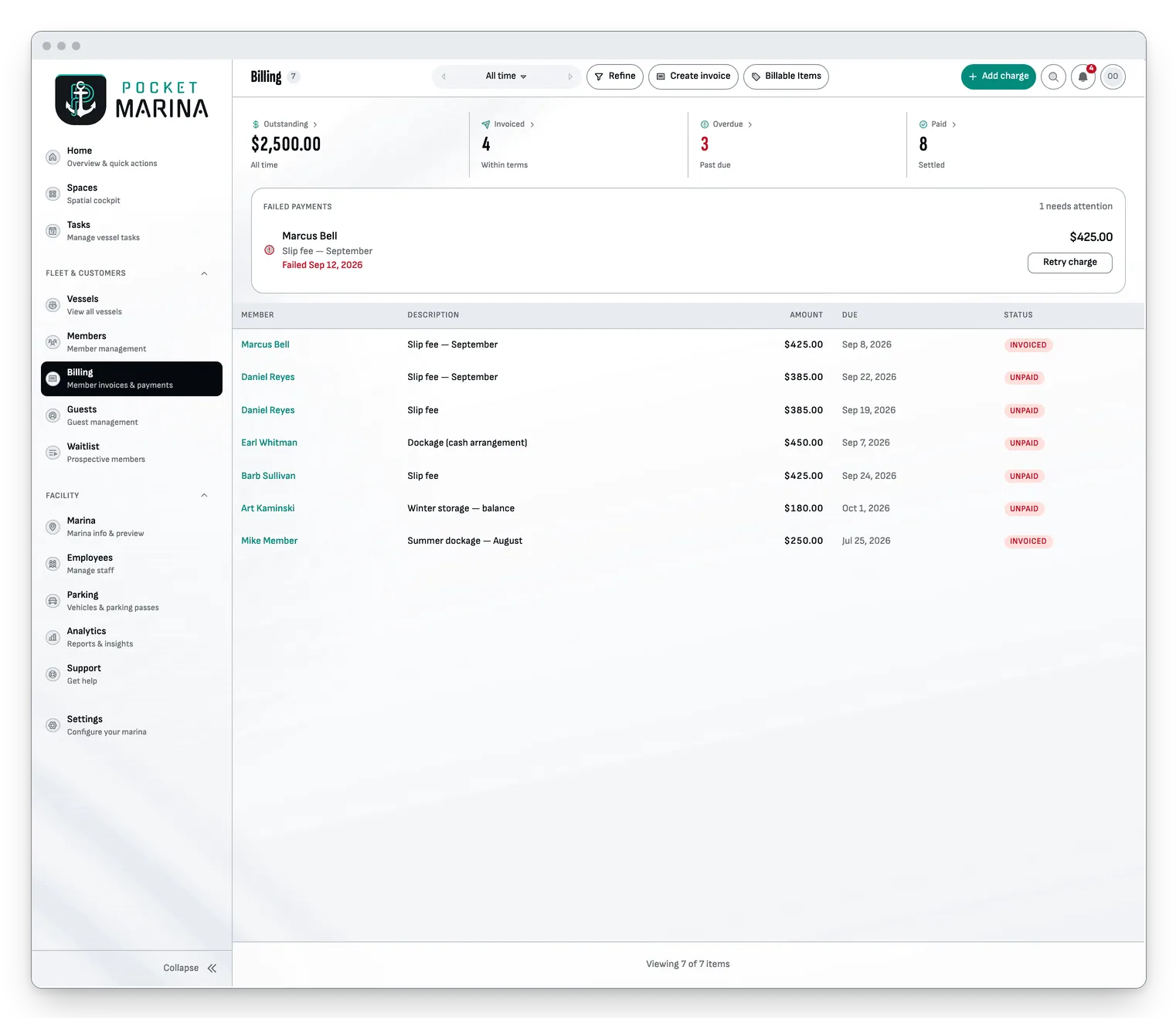
Dockage, storage, services and overnight stays, invoiced and collected through Stripe. Cards on file, autopay, and a receipt by e-mail the moment a payment lands.
Billing · Guests
Bill it once. Collect it every month.
Dockage, storage, services and overnight stays, invoiced and collected through Stripe. Cards on file, autopay, and a receipt by e-mail the moment a payment lands.
Billing · Guests
Bill it once. Collect it every month.
Dockage, storage, services and overnight stays, invoiced and collected through Stripe. Cards on file, autopay, and a receipt by e-mail the moment a payment lands.
For your members
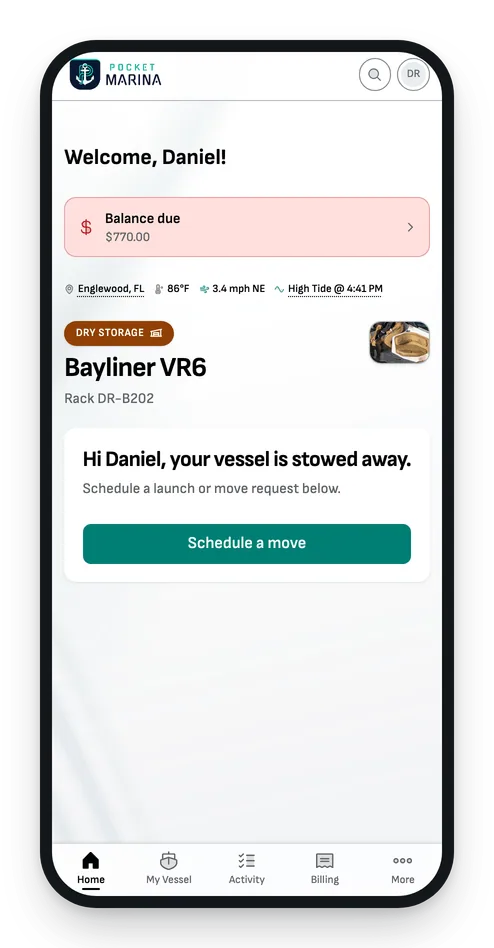
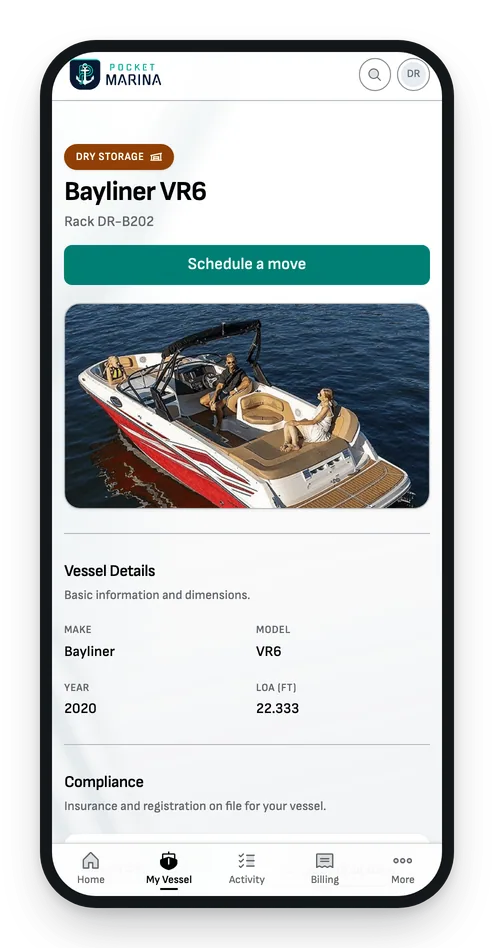
Members get an app of their own.
They see their boat and its space, request a move, pay their bill and keep the receipts, all from their phone. Fewer calls to the office.
For your members
Members get an app of their own.
They see their boat and its space, request a move, pay their bill and keep the receipts, all from their phone. Fewer calls to the office.
For your members
Members get an app of their own.
They see their boat and its space, request a move, pay their bill and keep the receipts, all from their phone. Fewer calls to the office.
Setup
Start from what you already have.
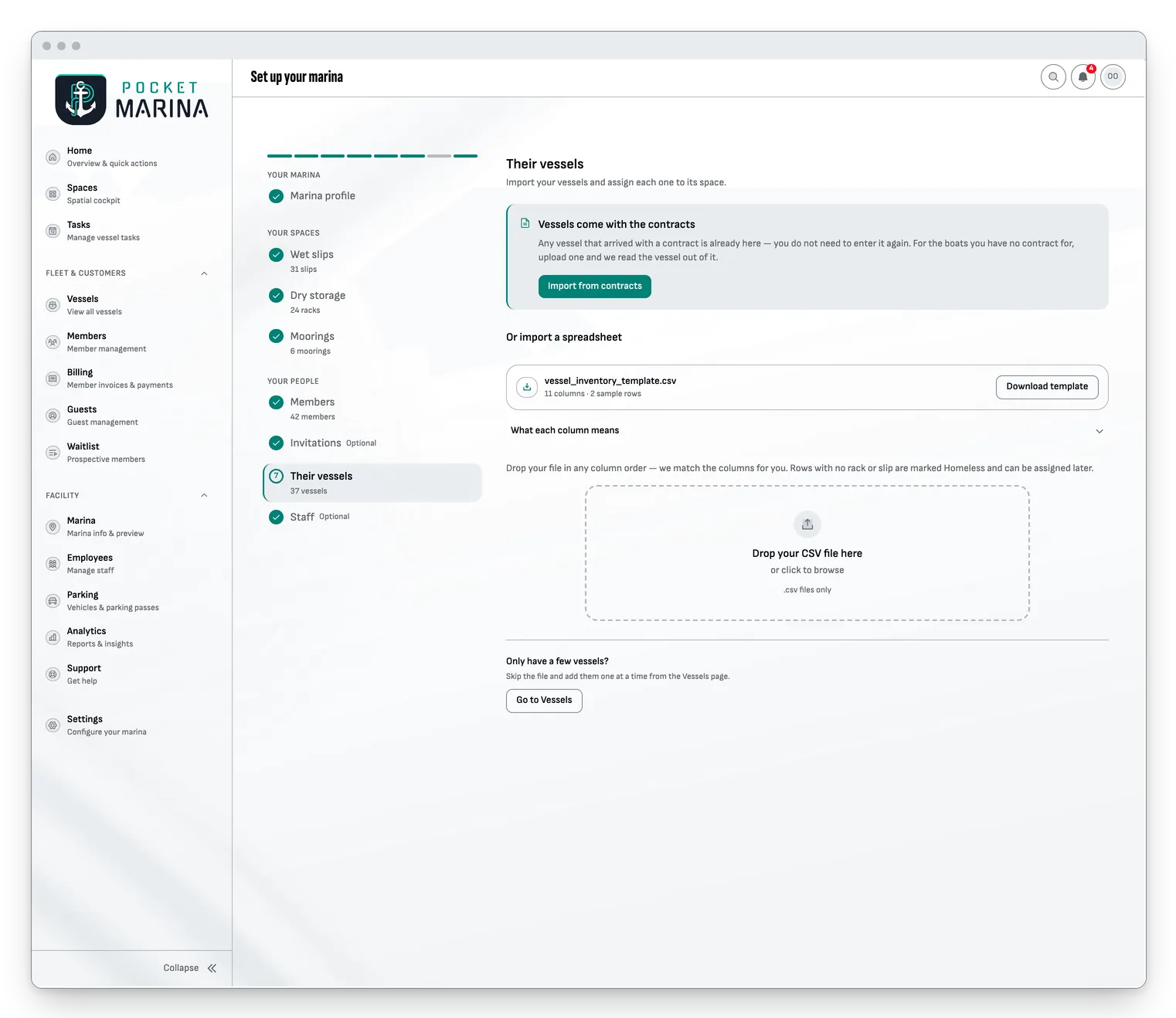
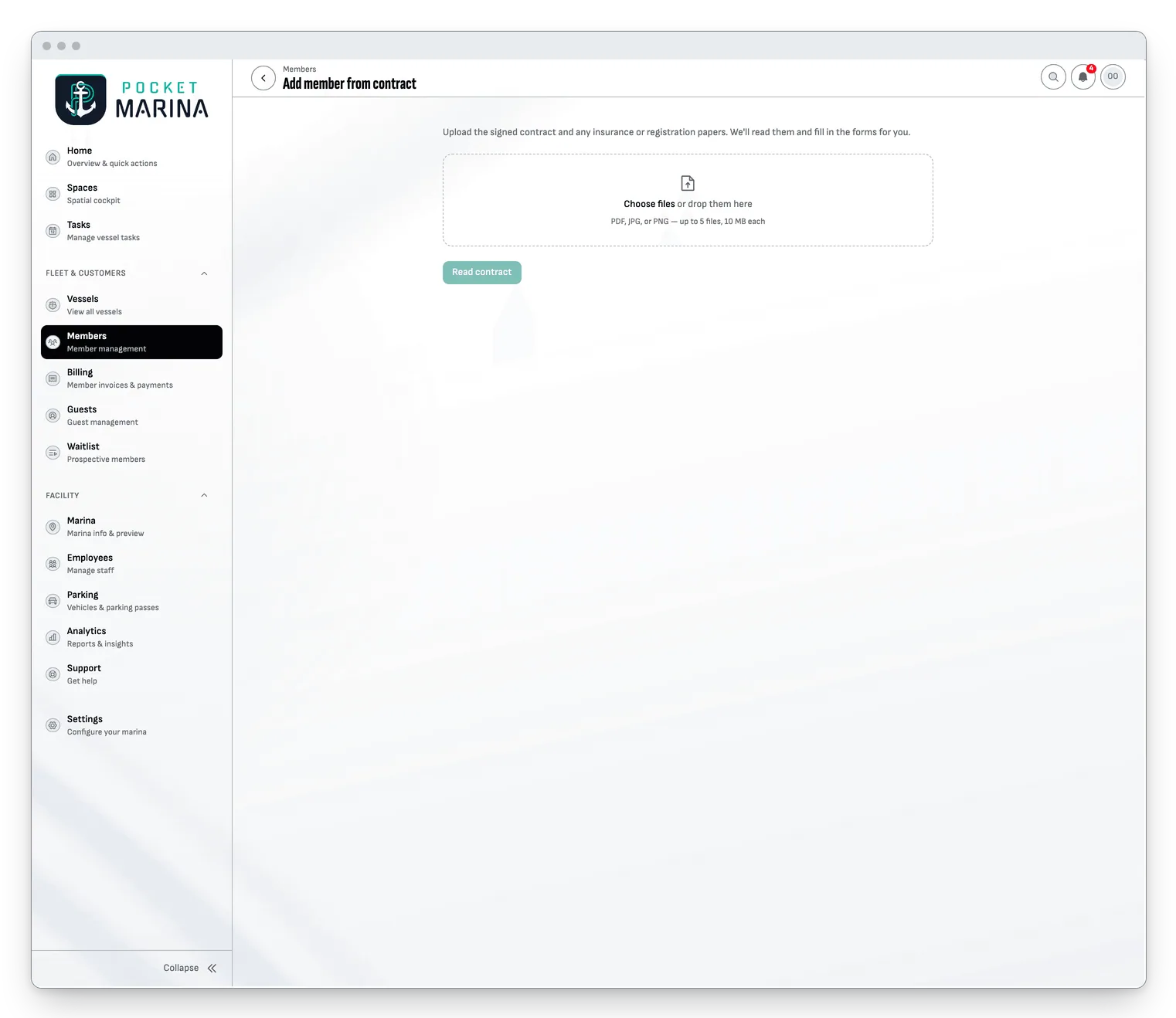
Import a spreadsheet, or upload the signed contracts and Pocket Marina reads the boats and the owners out of them. A guided setup walks you through the rest, one step at a time.
Setup
Start from what you already have.
Import a spreadsheet, or upload the signed contracts and Pocket Marina reads the boats and the owners out of them. A guided setup walks you through the rest, one step at a time.
Setup
Start from what you already have.
Import a spreadsheet, or upload the signed contracts and Pocket Marina reads the boats and the owners out of them. A guided setup walks you through the rest, one step at a time.
And the rest
The rest of the platform.
Search everything
One search box finds pages, boats, spaces, members, staff, guests and requests.
Analytics and revenue
Occupancy, activity and revenue by month and by year, on one page.
Installs like an app
Add it to the home screen of any phone or tablet. There is no app store in between.
Text size you choose
Make every screen larger or smaller, once, and it stays that way.
Report a problem from the map
A loose cleat or a leaking hose gets flagged on the space itself, with a photo and a severity.
Roles for the whole team
Owners, managers, crew and members each see the parts that are theirs.
One app instead of the pile.
The pile you run today.
One app instead of the pile.
The pile you run today.
One app. In your pocket.
Questions
Straight answers.
How long does setup take?
It depends on what you bring. Setup is a guided checklist: your marina, your spaces, your people and their vessels. Import a spreadsheet or the signed contracts and most of the typing disappears. During early access we set it up with you.
Can I import what I already have?
Yes. Setup imports spreadsheets for spaces, members and vessels, and reads signed contracts to add a member and their boat from the paperwork.
Is my data secure, and separate from other marinas?
Sign-in is handled by Clerk. Every marina’s data is isolated with row-level security in Postgres, so one marina can never read another’s records.
Does it work on phones and tablets?
Yes. Pocket Marina runs in the browser on any phone, tablet or computer, and installs to the home screen like an app. There is nothing to download from an app store.
What do my members get?
Their own sign-in, with their boat and its space, move requests, invoices, a card on file and their receipts.
How does billing work?
You connect your marina’s own Stripe account. Invoices, cards on file, autopay and receipts all run through it, and the money goes straight to you.
What does early access mean?
Create your account and tell us about your marina. We approve each marina during early access and send you an access code to open it, then set it up together.
Next step
Ready when you are.
Create your account.
Tell us about your marina.
We set it up with you.